
The day I got my first unsolicited order, meaning a buyer found my gig completely on their own, no Buyer Request, no referral, no promotion, I went back to check what had changed.
My gig was essentially the same. Same description, same tags, same pricing. The one thing I had updated two weeks earlier was my portfolio section. I had replaced a plain text-only gig with three proper portfolio samples, a formatted article screenshot, a before-and-after content comparison, and a short writing sample uploaded as a PDF.
That update alone changed how buyers perceived my gig. I know this because in the order message, the buyer said: “I liked the sample you showed, I need something similar for my website.”
They did not mention my description. They did not mention my price. They mentioned the sample.
That moment made me take the portfolio section far more seriously than I had been, and it changed how every gig I built from that point forward was structured. If you have been treating your Fiverr portfolio as an afterthought, or worse, leaving it empty, this guide is going to change that.
Why Your Portfolio Does More Work Than Your Description
Here is something counterintuitive: most buyers on Fiverr make their hiring decision before they finish reading your gig description.
They land on your gig. They glance at the thumbnail. They scroll down slightly. They look at your portfolio images and samples. If those samples look like the result they want, they either order immediately or send a message. If the samples look generic, mismatched, or non-existent, they hit the back button and move to the next gig.
Your description explains what you do. Your portfolio proves it. Buyers trust proof over explanation every single time.
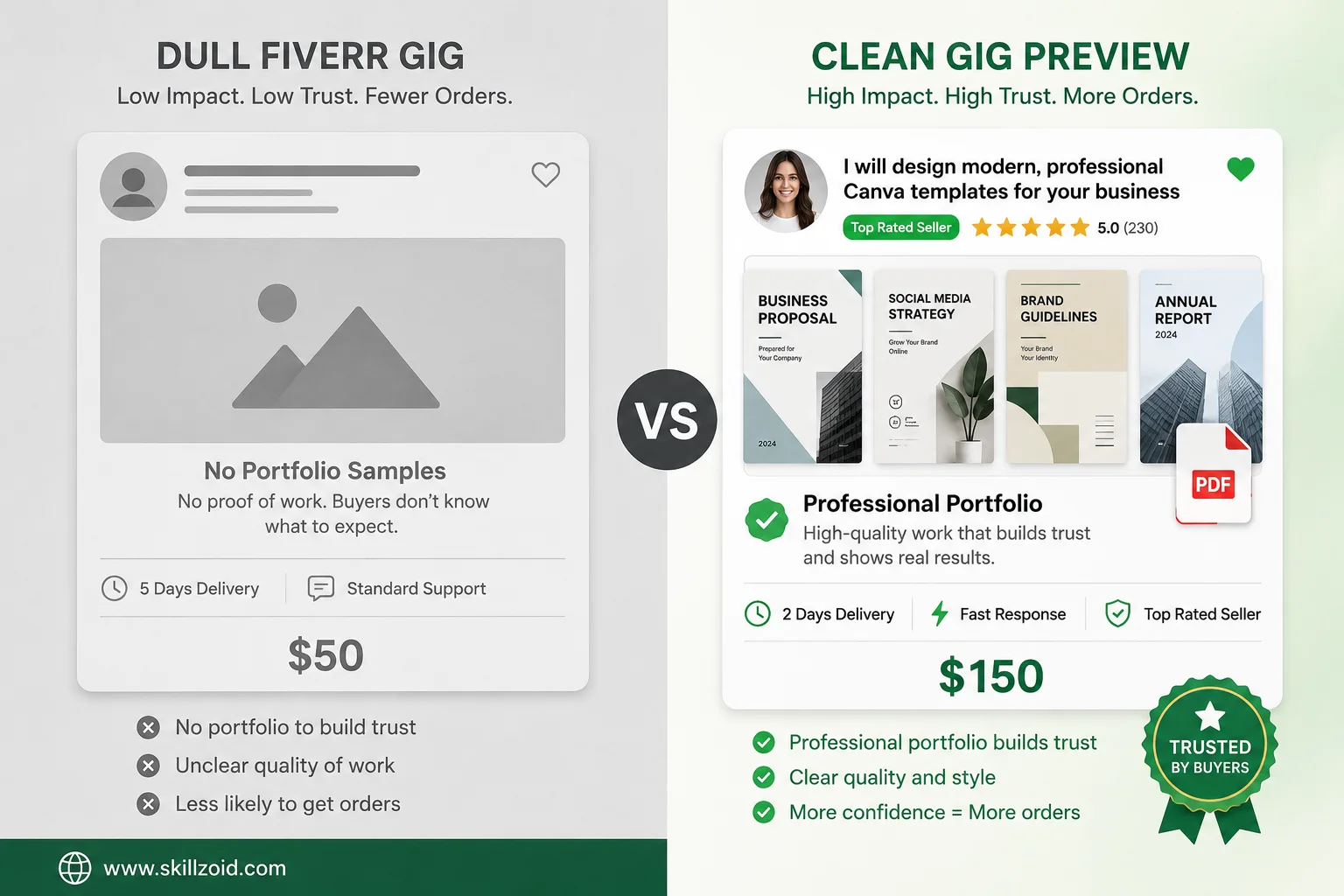
This is especially true for visual services, design, video editing, photography, and UI/UX. But it applies equally to writing, translation, voiceover, and any service where the quality of output is the thing being bought. Buyers want to see what they are getting before they pay for it. Your portfolio is the answer to that question.
What Fiverr Actually Gives You for Portfolio Space
Before building anything, understand exactly what Fiverr provides.
Gig Gallery: Every gig allows up to three images, one video, and one PDF document in the gallery section. This is the most visible portfolio space on your gig; it appears at the top of the page, directly next to your gig description. Buyers see it immediately.
Seller Portfolio (Profile Level): Fiverr also has a portfolio section on your overall seller profile, separate from individual gigs, where you can upload work samples that appear on your public profile page. This is less commonly filled out, but it matters when buyers click through to evaluate you as a seller before ordering.
PDF Upload: The PDF slot in your gig gallery is underused by most sellers. It allows you to upload a multi-page document, a writing sample, a case study, or a service guide that buyers can view directly within Fiverr without downloading anything. It is a powerful format for writers, consultants, and anyone whose work is document-based.
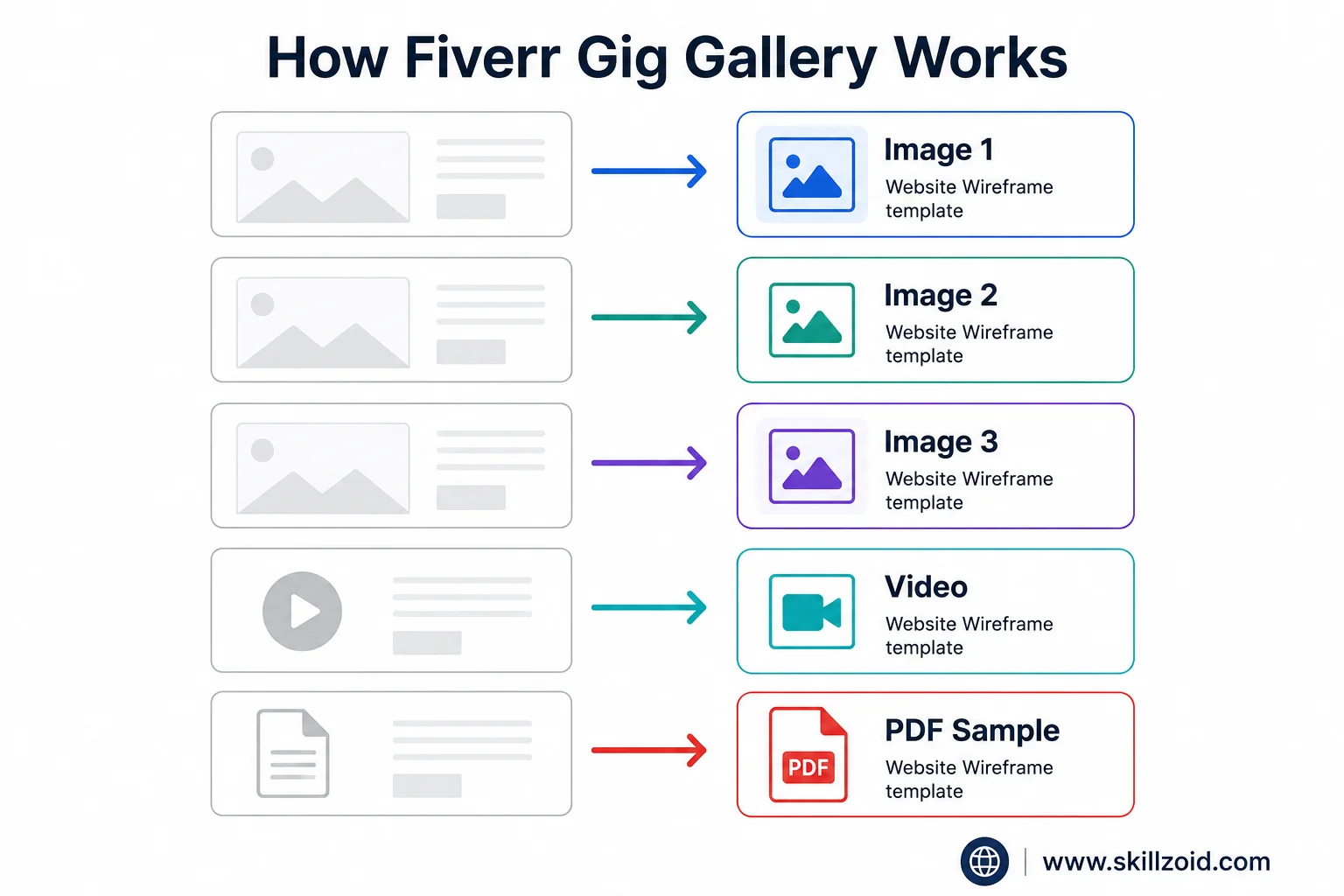
Use all of these. Leaving any slot empty is leaving persuasion on the table.
Step 1: Decide What Your Portfolio Needs to Show
This sounds obvious, but most sellers skip it. Before opening Canva or uploading anything, answer this question clearly:
What does my ideal buyer need to see to feel confident ordering from me?
For a logo designer, they need to see finished logos, ideally in the style the buyer wants, on realistic mockups rather than flat files.
For a content writer, they need to see a writing sample in the format they are buying, a blog post, not a poem; an SEO article, not a university essay.
For a video editor, they need to see a finished edited clip, not a screenshot of editing software.
For a translator, they need to see a clean, accurate translated document side by side with the original.
The portfolio samples that convert buyers are not your best work in general. They are your best work that is most relevant to what your target buyer is specifically looking for. Those are different things, and confusing them is one of the most common portfolio mistakes sellers make.
Step 2: Create Portfolio Samples if You Do Not Have Client Work Yet
This is the part that new sellers dread, and it is entirely solvable.
You do not need paid client projects to build a convincing portfolio. You need work that demonstrates your skill accurately. Whether it was paid or not is irrelevant to the buyer looking at it; they cannot tell, and they do not ask.
For writers: Pick three topics in your niche and write a sample article for each. Keep them between 500 and 800 words. Format them cleanly in Google Docs, export as PDF, and upload one as your gig PDF and screenshot the others for your gallery images. Make them as good as anything you would deliver to a paying client, because effectively, they are your pitch to future paying clients.
For designers: Create mock projects for fictional brands. Design a logo for a made-up coffee shop. Build a set of Instagram templates for a fictional clothing brand. Create a business card for a fictional law firm. Use realistic brand names so the mockup looks like real client work. Present them on professional mockups from Smartmockups or Mockup World, both free, rather than as flat files.
For video editors: Find a piece of free-use footage on Pexels Video or Pixabay Video and edit it as if it were a real client project. Apply your colour grading, your transitions, your text overlays, your audio treatment. Export a 60-second clip and upload it as your gig video. It demonstrates your skill just as clearly as a paid project would.
For voiceover artists: Record yourself reading a 60-second script, a product advertisement, a documentary narration, whatever your niche is, in your best quality audio setup. Even a decent condenser microphone and a small treated recording space (a wardrobe full of clothes works surprisingly well acoustically) will produce something usable.
For translators: Take a publicly available English article and translate a 300-word section into your target language. Present both versions side by side in a clean document format. This demonstrates accuracy, formatting, and language control simultaneously.
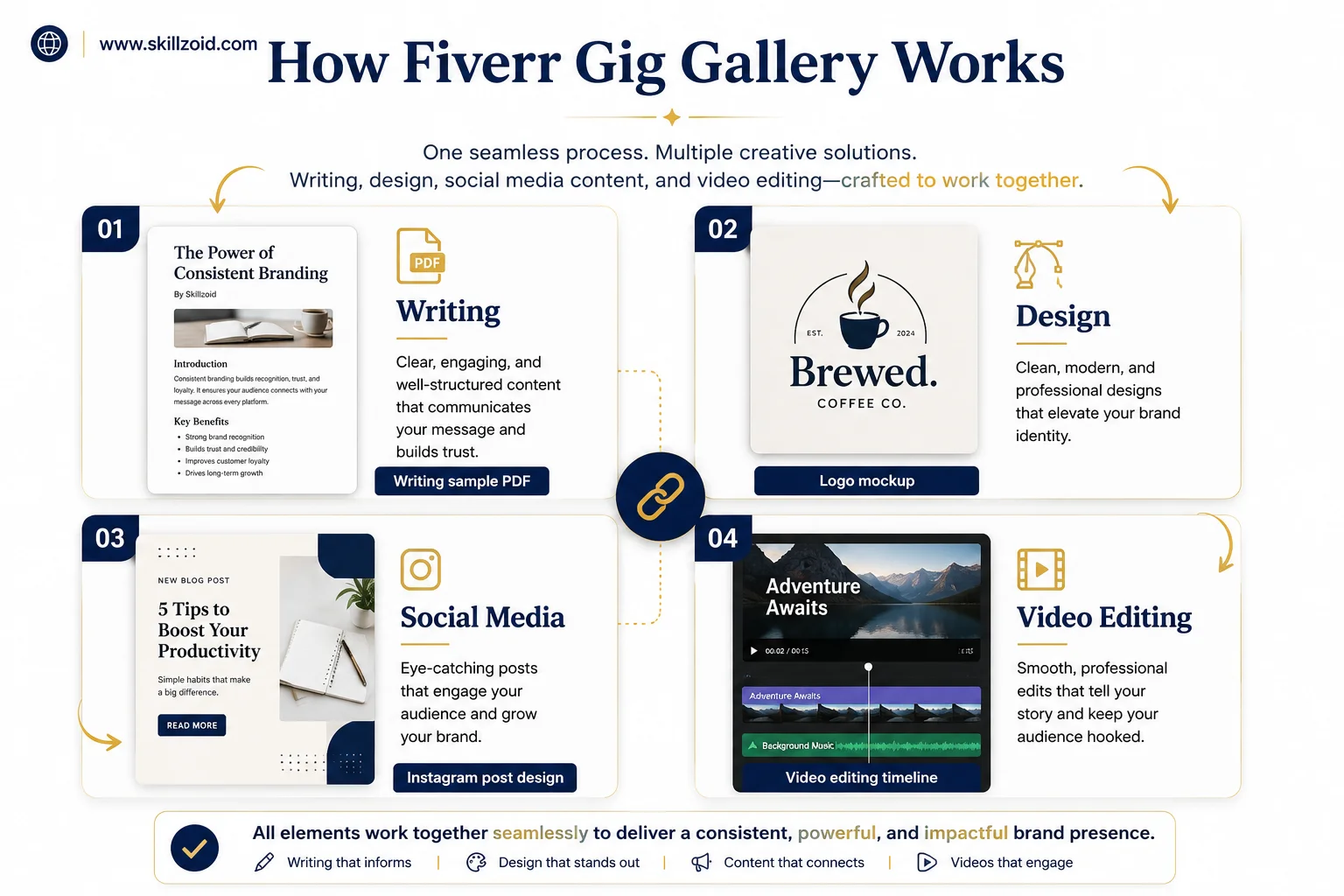
The work you create specifically for your portfolio is real work. It took real skill to produce. Do not undervalue it just because nobody has paid you for it yet.
Step 3: Present Your Work Professionally
The quality of your presentation affects how buyers perceive the quality of your work, even when the underlying skill level is identical. This is not fair. It is just how perception works.
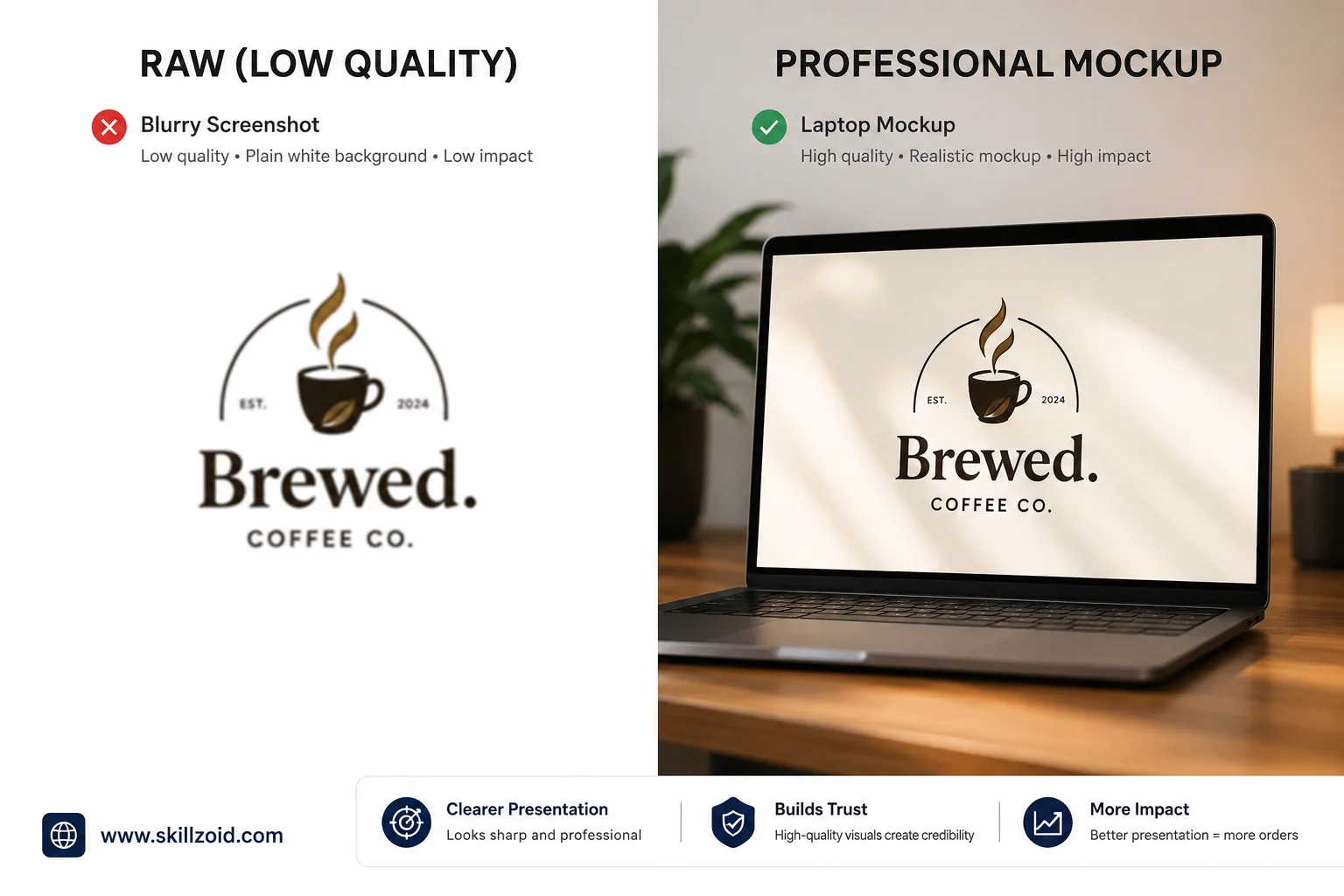
A logo displayed on a realistic business card mockup looks more professional than the same logo on a plain white background. A writing sample formatted cleanly in a PDF with a simple header and your name looks more credible than the same writing pasted into a basic Word document screenshot.
Presentation is the frame around your work. The right frame makes the work look better. The wrong frame, or no frame at all, makes it look worse than it is.
Tools for better presentation:
Smartmockups (free tier): Drag your design into a phone, laptop, t-shirt, book cover, or packaging mockup. Download in high resolution. Takes two minutes. Makes flat design work look like real deployed products.
Canva (free tier): Use the document or presentation format to build portfolio pages. Clean layout, your branding, your sample work, your name at the bottom. Export as PDF for the gig PDF slot.
Google Docs: For writers, a clean Google Doc with a simple header, your name, the article title, and well-formatted body text is entirely professional. Export to PDF. Upload directly.
Pexels and Unsplash: For any background imagery in your portfolio presentation. Both are free for commercial use and significantly higher quality than anything from a Google Image search.
One specific thing to avoid: do not use screenshots taken on a cluttered desktop with browser tabs visible, system notifications in the corner, and poor screen resolution. If you are screenshotting your work, do it cleanly, full-screen, high resolution, nothing visible except the work itself.
Step 4: Write Captions That Give Your Samples Context
Fiverr allows you to add a caption to each gallery image. Most sellers leave these blank or write something like “Sample 1,” which tells the buyer nothing.
A caption is a small but real opportunity to frame what the buyer is looking at.
Instead of “Logo design sample,” write: “Brand identity project for a fictional sustainable clothing brand, designed in Adobe Illustrator, presented across digital and print mockups.”
Instead of “Writing sample,” write: “600-word SEO blog post on zero-trust network security, written for a non-technical business audience, structured for featured snippet optimisation.”
The caption does two things. It gives context that helps the buyer evaluate the sample accurately. And it demonstrates professional vocabulary and thinking, which itself is a trust signal.
Step 5: Update Your Portfolio as You Grow
Your first portfolio will not be your best portfolio. And that is completely fine.
Every paid project you complete is a potential portfolio piece. After delivering work and receiving a positive review, ask yourself: Can I add this to my portfolio? If the client shared work publicly, reference it. If it is confidential, create an anonymised or lightly modified version that demonstrates the same skill without revealing the client’s identity.
Over time, your portfolio shifts from self-created samples to real client work. That transition strengthens your gig significantly; buyers can see that real people hired you for this work and were satisfied with the result.
Set a reminder every three months to review your portfolio. Remove samples that no longer represent your current skill level. Replace them with your best recent work. A portfolio of three excellent, current samples always outperforms a portfolio of eight outdated or mismatched ones.
Mistakes That Undermine Good Portfolio Work
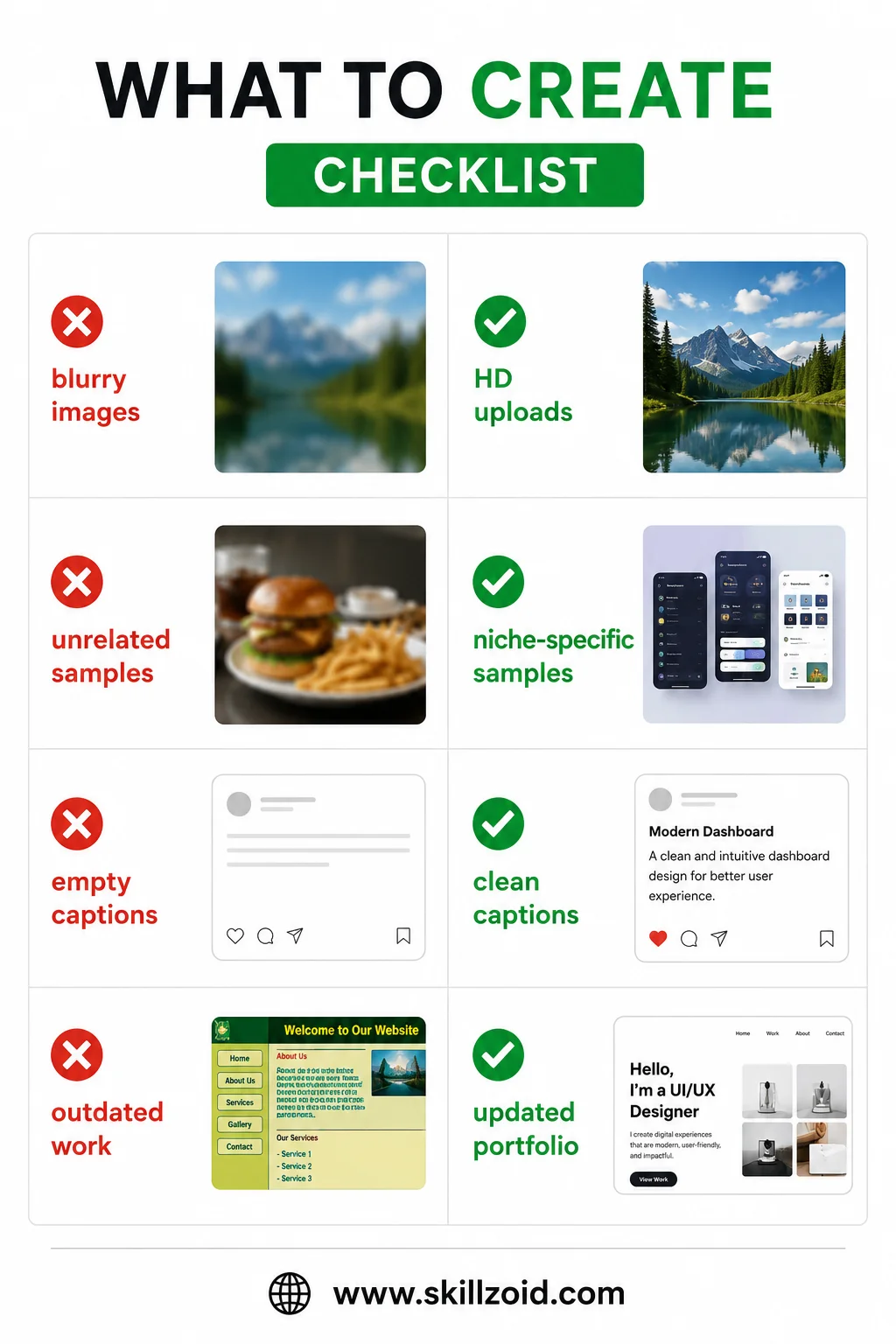
Showing work that does not match the gig. If your gig offers blog post writing and your portfolio shows email marketing copy, infographic design, and a CV template, buyers are confused about what they are actually buying. Every portfolio sample should be directly representative of the specific gig it sits on.
Using client work without permission. Some client projects are confidential. Publishing them without explicit permission, especially for corporate, legal, or medical clients, can create serious problems. When in doubt, recreate a similar sample independently rather than using something a client trusted you with privately.
Uploading low-resolution images. A blurry, pixelated portfolio image suggests low-quality work regardless of what the image actually shows. Export all portfolio images at the highest resolution your tools allow. Fiverr displays them at relatively small sizes in search results, but buyers click to view full-size images before ordering.
Treating the video slot as optional. Fiverr gigs with a video consistently receive more engagement than those without one. You do not need to appear on camera. A screen recording with a voiceover explanation of your service, or a short compilation of your portfolio samples with background music, is sufficient. The video gives your gig a dimension that static images cannot.
Never change your portfolio after publishing. A portfolio that has not been updated in six months is a portfolio that is not working as hard as it could. The market shifts, your skills improve, and buyer preferences evolve. Your portfolio should reflect where you are now, not where you were when you first set up your account.
The Portfolio Mindset That Changes Everything
Here is the mental shift that made the biggest difference for me.
I stopped thinking of my portfolio as a record of past work and started thinking of it as an argument for future work.
Every sample is not just evidence of what I have done. It is a demonstration of what the buyer will receive when they hire me. Framed that way, every portfolio decision becomes clearer: does this sample make it easier for my ideal buyer to say yes? If yes, include it. If not, replace it with something that does.
Your portfolio is your most persuasive tool on Fiverr, more persuasive than your price, more persuasive than your description, and more persuasive than the number of reviews you have when you are just starting.
Build it as it matters. Because of the buyers clicking through your gig, it absolutely does.
If you want to get hired fast on Fiverr, read this guide: Ultimate Fiverr Portfolio Guide: Get Hired Faster in 2026.
Taha Sohail is a professional blogger and cyber engineer with hands-on experience building and optimising Fiverr seller profiles across multiple service categories. He writes practical, experience-based guides for freelancers serious about building a credible and profitable Fiverr presence.




2 Comments on “Ultimate Fiverr Portfolio Guide: Get Hired Faster in 2026”