
A client of mine, a small business owner in Karachi, once told me she had spent PKR 40,000 on Fiverr in a single month. Logo, website copy, social media graphics, and an explainer video script. She was not unhappy with the work. She was unhappy with herself, because she later realised she had overpaid on at least three of those four orders.
Not because the sellers were dishonest. She did not know how Fiverr actually works from a buyer’s perspective.
I spend most of my time on Fiverr as a seller, but I also regularly hire writers, voice-over artists, and editors for my own projects. And over time, I have learned that there is a real difference between people who get good value on Fiverr and people who consistently overpay. That difference has nothing to do with promo codes.
It is about how you shop.
Why Promo Codes Are Not the Answer
Let me get this out of the way first, because I know half of you landed on this article after googling “Fiverr promo code 2026.”
Fiverr does occasionally release discount codes, usually for first-time buyers, through email campaigns or during special promotions. But they are rare, they expire fast, and any website claiming to have a “working list” of Fiverr promo codes is almost certainly showing you expired or fake codes. I have tested several of those sites over the years. Not one code worked.
Chasing promo codes on Fiverr is like looking for a petrol discount by driving to three different stations. You spend more energy than you save.
The strategies below are different. They work every time, with every order, and they do not require you to wait for a promotion.
1. Use Fiverr’s Filter System Properly
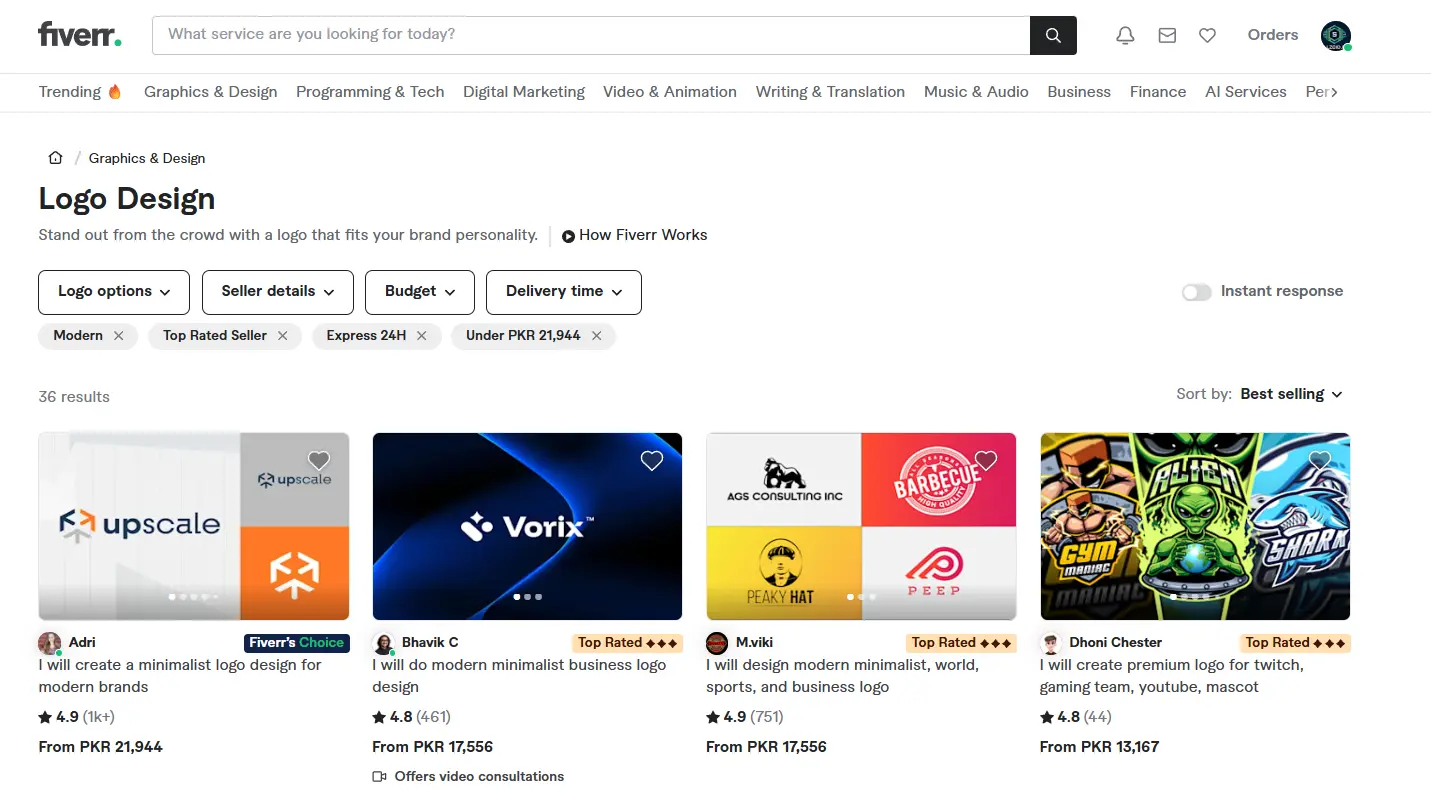
Most buyers type a keyword into the search bar, glance at the first six results, and pick whoever has the most stars. That is an expensive habit.
Fiverr’s filter system is genuinely powerful if you use it. After searching for a service, look at the left-hand panel. You can filter by:
- Seller level (New Seller, Level 1, Level 2, Top Rated)
- Budget (set a maximum price)
- Delivery time
- Seller speaks (useful for communication clarity)
Here is what most buyers miss: New Sellers and Level 1 Sellers often do work that is just as good as Top Rated Sellers, at 40–60% of the price. They are trying to build their reputation, so they over-deliver. They respond faster. They are more flexible.
I was once that new seller. I did some of my best work when I was trying to earn my first ten reviews, because every order felt like an audition.
Set your budget filter honestly, not so low that you filter out legitimate talent, but low enough to surface the sellers who are still building their portfolio. Sweet spot for most writing gigs: $10–$30. For design: $15–$40. For video editing: $20–$60.
2. Message Before You Buy, Always
This is the single habit that saves me the most money, and most buyers skip it entirely.
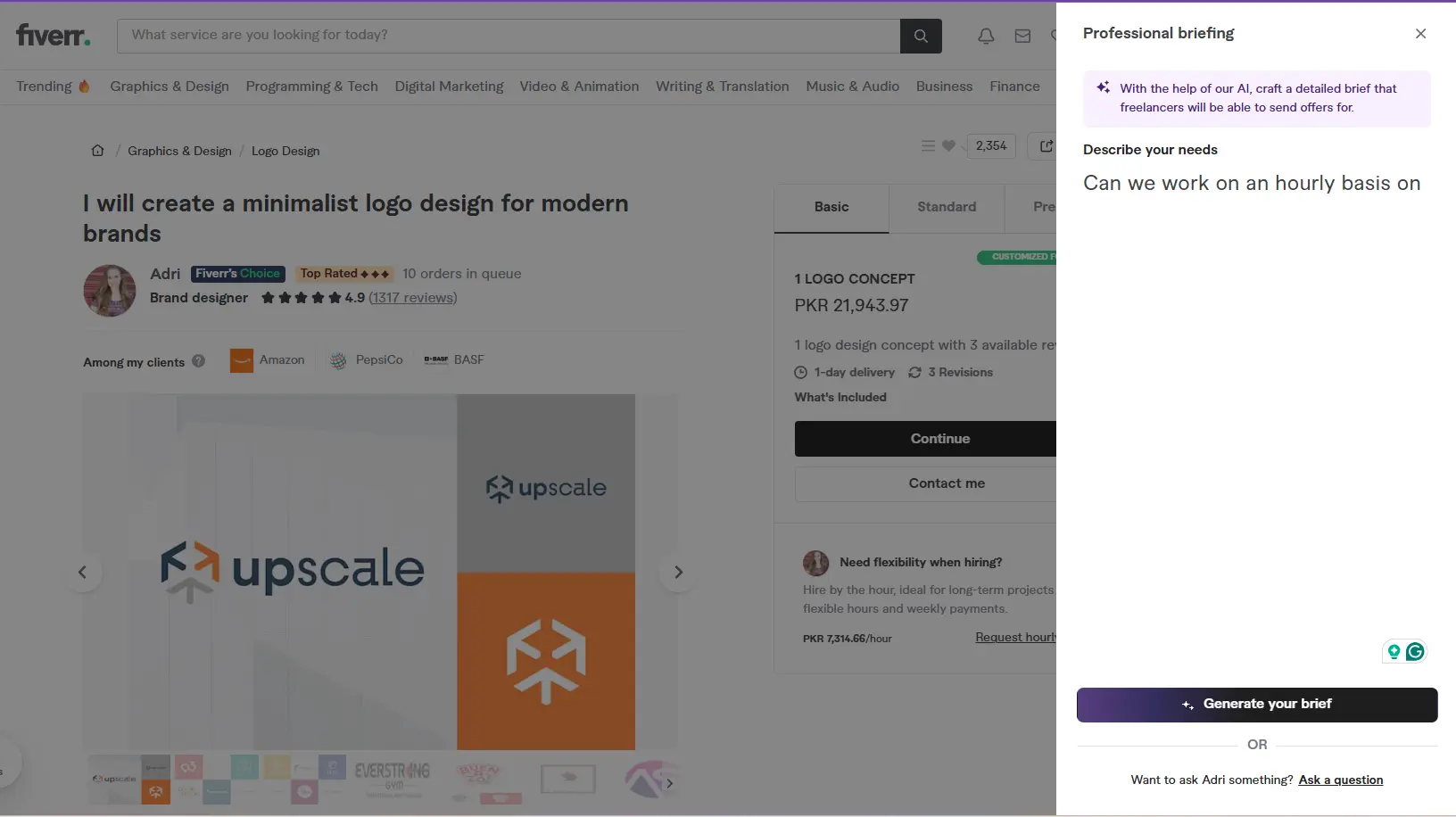
Before placing any order above $20, click the seller’s profile and send them a message. Explain your project briefly and ask if they can handle it within your requirements.
Here is why this matters:
First, it tells you how the seller communicates. If they take three days to reply to a simple message, imagine how they will handle revision requests mid-project.
Second, and this is the part buyers do not realise, sellers can send you a Custom Offer directly in chat. A Custom Offer is a personalised package created specifically for your project. It often comes in cheaper than the listed gig packages, especially if your project is straightforward and does not need all the extras bundled into the standard package.
I have saved 20–30% on orders simply by messaging first and asking for a custom offer. The seller gets a confirmed, committed buyer. I get a price that fits my actual needs rather than a pre-built package.
One thing to say in your message: “I have a specific project that might not fit your standard packages. Would you be open to sending a custom offer?” Almost every serious seller will say yes.
3. Read the Gig Description Like a Contract
Buyers who end up overpaying usually do so during revisions. They did not read what was included.
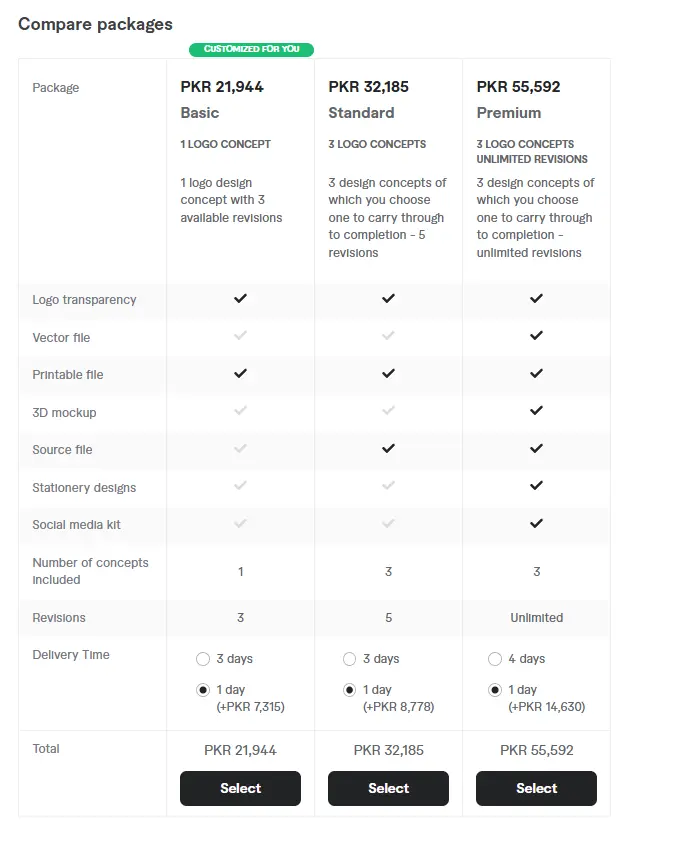
Every Fiverr gig has a description and a package breakdown. Before ordering, go through it carefully and ask yourself:
- How many revisions are included? (If it says “1 revision” and your project is complex, you might pay extra for every change after the first.)
- What exactly is delivered? (Word count, file formats, number of concepts for design, etc.)
- What is NOT included? (Many gigs charge extra for commercial use rights, source files, or expedited delivery.)
A $15 logo gig that charges $10 extra for source files, $10 for commercial rights, and $5 for an extra concept is actually a $40 logo. The $25 gig that includes all three things upfront is cheaper.
I learned this the embarrassing way. I once hired a video editor for a client project, paid $30, and then discovered commercial usage rights cost an additional $25. The total came to $55. There was a better gig at $45 that included everything. I just had not read carefully enough.
4. Time Your Orders Around Fiverr Promotions (Without Chasing Codes)
Even if you cannot find a working promo code, Fiverr does run genuine sitewide sales, usually around Black Friday, Cyber Monday, and sometimes during the middle of the year. These are officially announced on Fiverr’s homepage and through their email newsletter.
Sign up for Fiverr’s email list if you have not already. When a real promotion lands, it shows up in your inbox with a clear code and an expiry date. These are the only codes worth using because they are directly from Fiverr itself.
Outside of those sale periods, here is a timing trick that most people overlook: order on weekdays, not weekends. Many sellers check their Fiverr dashboard less frequently on weekends. If you message on a Monday or Tuesday, you are more likely to get a fast response, which sometimes leads to a small discount just to secure the order before they get busy.
This is not guaranteed, but it has worked for me more than once, particularly with sellers who are not fully booked yet.
5. Order Bundles When You Have Multiple Needs
If you know you are going to need ongoing work, say, four blog posts a month or weekly social media graphics, bring that up in your initial message to the seller.
Sellers love recurring clients. A guaranteed stream of work is worth more to a freelancer than a single one-time order. Many sellers will offer you a reduced per-unit rate if you commit to multiple orders upfront.
This is not haggling in the negative sense. It is just a straightforward business conversation. You could say: “I need five articles over the next month. Would you be open to a package deal if I order them all through you?”
I have had buyers approach me this way, and I have always been willing to offer them a small discount, usually 10–15%, because locking in five orders is better than chasing five separate buyers.
6. Use Fiverr Business for Team Buying
If you are buying on Fiverr regularly for a business, not just occasional personal projects, look into Fiverr Business. It is a paid subscription, but it comes with:
- A dedicated success manager
- Team collaboration features (share orders with colleagues)
- Curated lists of vetted, quality sellers
- Priority customer support
For individuals buying one or two gigs a month, it probably is not worth it. But if your business spends $200 or more monthly on Fiverr, the subscription pays for itself quickly, and the vetted seller lists alone save you the time of vetting sellers yourself, which is genuinely valuable.
Avoid the Mistakes That Cost Buyers the Most
After years on this platform, these are the errors I see buyers make repeatedly:
Choosing the cheapest option without checking reviews. A $5 gig with no reviews is a gamble. Sometimes it pays off. Often it does not, and you end up paying someone else to redo the work. A $20 gig with 50 strong reviews is almost always a better value.
Not being specific in your order brief. Vague briefs lead to misaligned work, which leads to revisions, which can cost extra money and definitely cost time. Spend ten minutes writing a detailed brief, reference examples, explain your audience, and state your preferences clearly. This alone dramatically reduces the chance of needing revisions.
Ordering the Premium package by default. Sellers structure their packages to make Premium look like the obvious choice. But Basic or Standard is often perfectly sufficient. Read each package tier and only upgrade if you genuinely need what the higher tier offers.
Tipping before you see the final work. Fiverr asks if you want to tip after delivery. It is fine to tip great sellers; I appreciate it enormously when buyers do. But the tip is based on the actual quality of the delivered work, not out of politeness in the moment.
The Mindset Shift That Changes Everything
The buyers who consistently get great value on Fiverr are not the ones who found a secret discount. They are the ones who treat every order like a small business transaction, they communicate clearly, they read the details, and they know what they want before they start shopping.
Fiverr is genuinely one of the most cost-efficient ways to get professional work done if you approach it thoughtfully. A well-placed $25 order with the right seller can produce something that would cost $150+ from a local agency.
But that only happens when you know how to choose.
Start with one of these strategies on your next order, even just messaging before buying, and you will notice the difference immediately.
Disclaimer
Fiverr pricing and promotions may vary over time. The strategies discussed in this article are based on personal experience and general platform observations.
If you want to learn about how to use tags to rank your gig on Fiverr, read this guide: How to Use Fiverr Tags to Rank Your Gig Faster in 2026.
Taha Sohail is a professional blogger and cyber engineer with hands-on experience as both a seller and buyer on Fiverr. He writes practical, no-fluff guides to help freelancers and clients get more out of online platforms.




One Comment on “How to Save Money on Fiverr Without a Promo Code”