
Disclaimer: This post is for educational purposes only. It does not contain affiliate links. All information is based on personal experience and research. I have no financial relationship with any platform or service mentioned in this article.
I remember the exact moment I realized my gig was completely invisible.
I had spent two full evenings writing what I thought was a perfect gig description. Researched competitors, used what felt like the right keywords, and designed a clean thumbnail in Canva. Published it and felt genuinely good about it.
Then I searched Fiverr for the exact service I was offering.
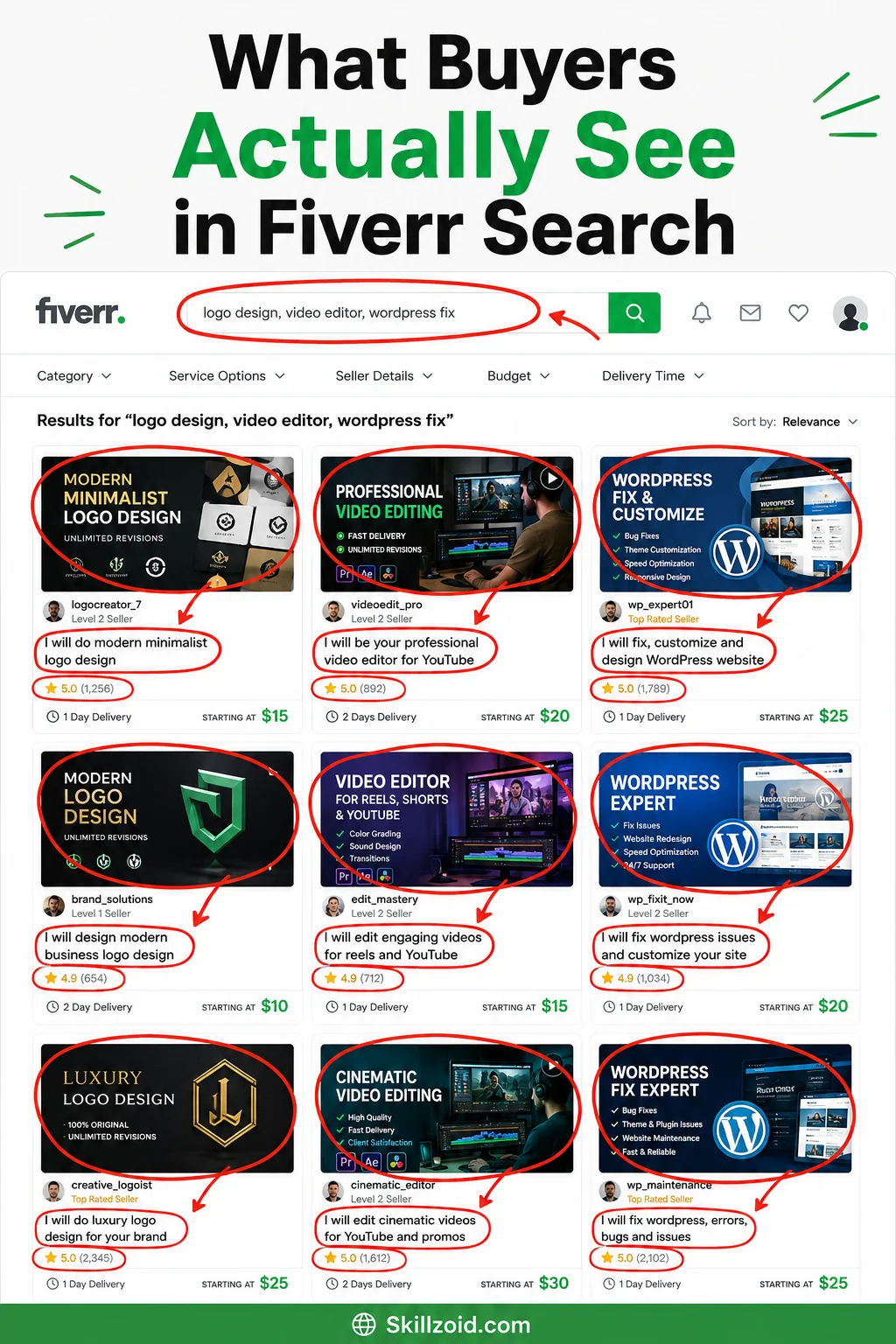
My gig wasn’t on page one. It wasn’t on page two. I scrolled through six pages before I gave up looking. For all practical purposes, I didn’t exist on the platform.
That experience taught me something important: creating a good gig and ranking a gig are two completely different things. You can have the best service, the most professional thumbnail, and the most detailed description on the platform, and still be invisible if you don’t understand how Fiverr’s search algorithm actually works.
Here’s everything I figured out, through a lot of frustrating trial and error, about getting a gig to page one.
How Fiverr’s search algorithm actually thinks
Before jumping into tactics, it helps to understand what Fiverr is actually trying to do with its search results.
Fiverr makes money when buyers place orders. So its algorithm is designed to show buyers the gigs most likely to result in a completed, successful order. That’s the core logic behind everything.
This means the algorithm is looking at signals like:
- How often do buyers click on your gig when they see it in search?
- How often do those clicks turn into actual orders?
- How quickly you respond to messages.
- How successfully you complete orders (on time, no cancellations).
- What buyers say in reviews.
A brand new gig with no history gets very little initial visibility. The algorithm doesn’t know yet whether your gig converts well. So it shows you a small slice of buyers, watches what happens, and expands your visibility based on the results.
Understanding this changes your entire strategy. You’re not trying to “trick” the algorithm, you’re trying to give it the signals it’s looking for as quickly as possible.
Step 1: Get the gig title right before anything else
Your gig title is the single most important ranking factor for new sellers. It tells Fiverr’s search engine what your gig is about, and it’s the first thing buyers read when they see your gig in results.
Most new sellers write gig titles that describe what they do from their own perspective. Something like “I will design a logo for your brand.” That’s not terrible, but it’s not how buyers search.
Buyers search for outcomes and specifics. They type things like “minimalist logo design for startup” or “modern logo designer for small business.” Your title needs to match the actual language buyers use.
Here’s how I research this:
Go to Fiverr’s search bar and start typing your service. Watch the autocomplete suggestions that appear. Those suggestions come from real buyer searches; they’re telling you exactly what people are looking for. Write down every relevant suggestion.
Then look at the top-performing gigs in your category. Read their titles carefully. Notice the specific words they use. You’ll start to see patterns in what converts, and what’s worth including in your own title.
Your title should be natural and readable, not a string of keywords. “I will create a minimalist logo design for your small business or startup” hits the right search terms while still making sense to a human reader.
Step 2: Use all five gig tags, and choose them carefully
Fiverr gives you five tags per gig. Most new sellers pick the first five things that come to mind and move on. This is a missed opportunity.
Tags are another way Fiverr categorizes your gig and matches it to buyer searches. They’re essentially additional keywords that help the algorithm understand what your gig covers.
The right approach: use Fiverr’s search autocomplete again. Type your core service and look at the related search terms that appear. These are real searches happening on the platform right now. Pick your five tags from these, prioritizing the ones that are specific enough to be relevant but popular enough to have actual search volume.
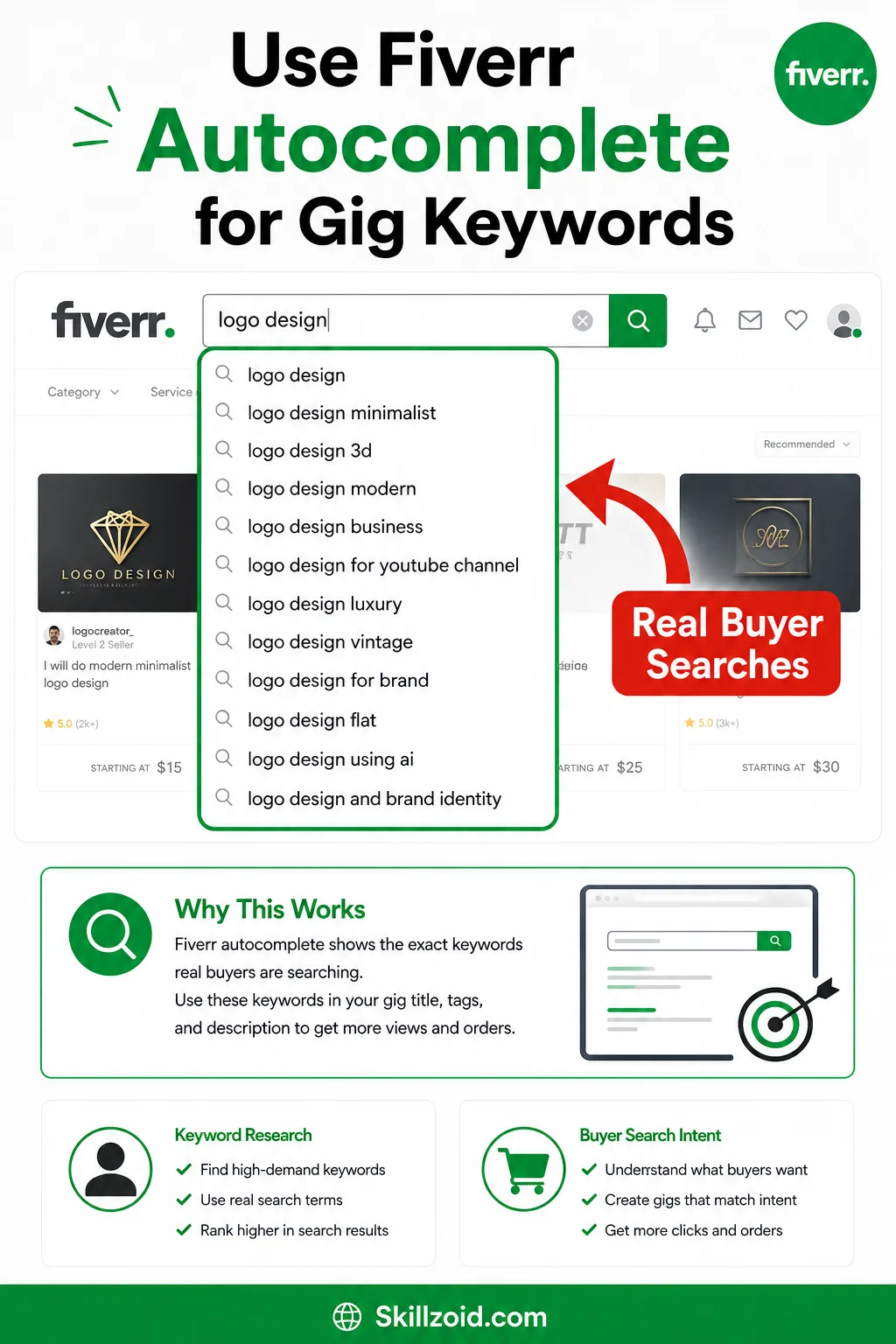
Avoid tags that are too broad (“design,” “logo”) or too narrow (no one’s searching for them). The sweet spot is a phrase like “minimalist logo design” or “logo for small business”, specific enough to be targeted, broad enough to capture real traffic.
Step 3: Write a description that converts, not just one that explains
Here’s a mistake I made for a long time: I wrote gig descriptions that explained what I do. Long, detailed, professional-sounding paragraphs about my process and my experience.
The problem was that buyers don’t read gig descriptions the way you think they do. They skim. They’re looking for answers to three questions, usually in the first few lines:
- Does this person understand what I need?
- Can they actually deliver it?
- What exactly am I getting?
Your description needs to answer those three questions fast, then go into detail for the buyers who want more.
Start with the buyer’s problem, not your credentials. Something like: “Looking for a logo that actually represents your brand, not a generic template everyone’s seen before?” That opening speaks to the buyer’s frustration immediately.
Then explain what they get, how you work, and what makes your approach different. Keep paragraphs short. Use bullet points for deliverables and package inclusions. Make it easy to skim.
One practical tip: use the primary keyword from your title naturally in the first 150 characters of your description. Fiverr’s algorithm indexes this area heavily. Don’t stuff it, just make sure your core service term appears early and reads naturally.
Step 4: Your thumbnail is doing more work than you realize
Fiverr search results show gig thumbnails before buyers read a single word of your title or description. If your thumbnail doesn’t make someone stop scrolling, nothing else you’ve done matters.
I redesigned my thumbnail three times before I understood what actually worked. Here’s what I learned:
Clean beats clever. A thumbnail with too much going on, multiple fonts, busy backgrounds, lots of text, gets ignored. The thumbnails that perform best are simple, high-contrast, and communicate the service at a glance.

Show the outcome, not the process. If you’re selling logo design, show a beautiful logo. If you’re selling video editing, show a compelling video frame. Buyers are buying results, not effort.
Use readable text at small sizes. Your thumbnail will often be displayed at roughly 200 pixels wide. Any text on it needs to be legible at that size. Test your thumbnail by shrinking it down; if you can’t read the text easily, neither can buyers.
Canva is genuinely enough for this. Browse Fiverr’s top performers in your category, understand what visual style resonates with buyers there, then build something clean and specific in Canva. You don’t need Photoshop skills.
Step 5: Pricing strategy for a new gig, trying to rank
There’s a tension that confuses a lot of new sellers: you want to price high enough to signal quality, but low enough that buyers take a chance on you before you have reviews.
My approach, and what I’ve seen work consistently for others: start slightly below the market rate for your category. Not insultingly cheap, that signals low quality, but competitive enough that a buyer choosing between you and someone with fifty reviews might choose you to save a bit.
Once you have ten solid reviews, raise your prices meaningfully. The reviews now do the trust-building work that the lower price was doing before.
One thing to absolutely avoid: offering $5 gigs to compete on price alone. The buyers you attract at $5 are often the most demanding, most revision-heavy, and least likely to leave good reviews. That’s the opposite of what you need when you’re trying to build your profile.
Step 6: Response time is a ranking factor; treat it like one
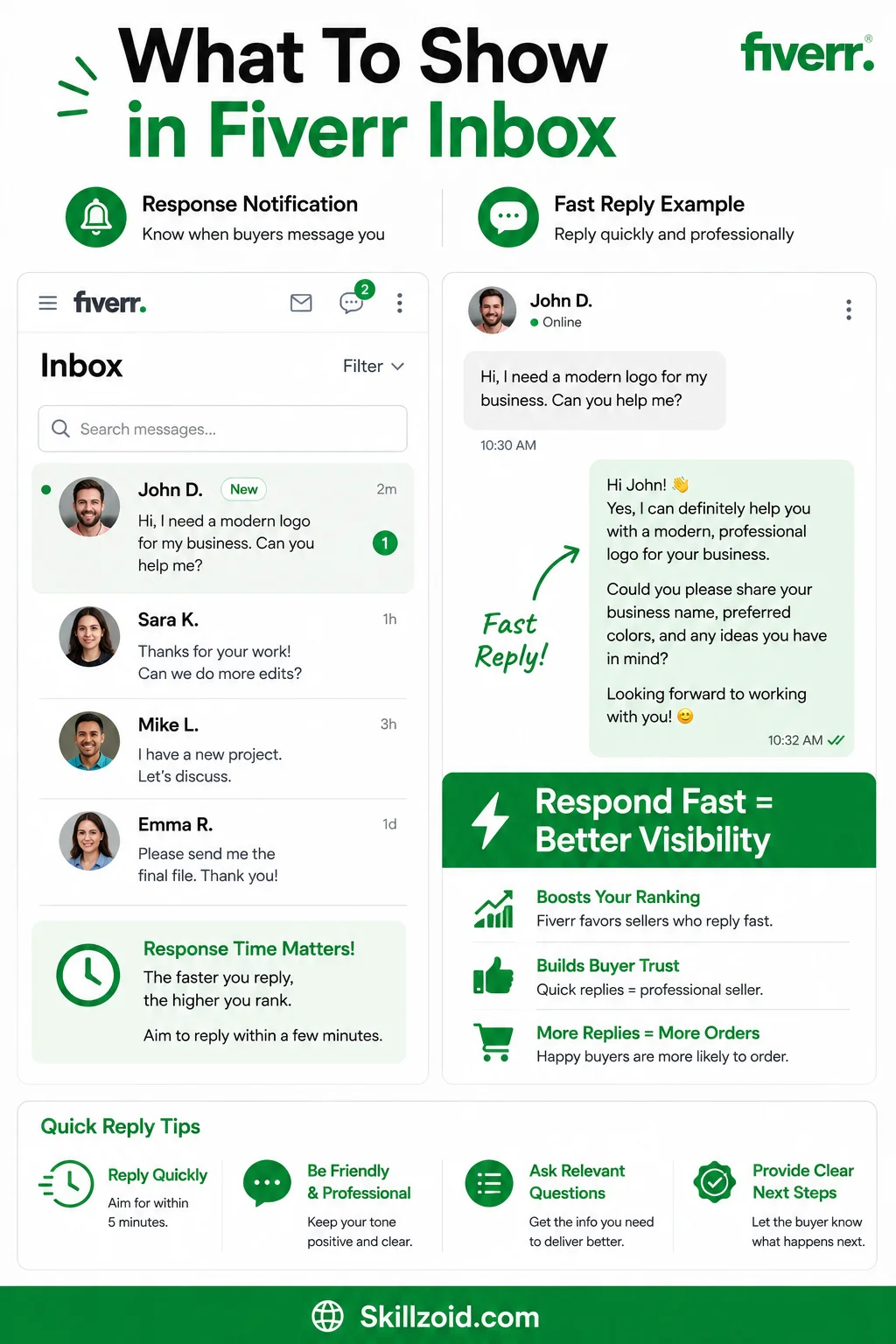
Fiverr displays your average response time on your profile. Buyers see it. The algorithm uses it.
A response time of “within an hour” genuinely builds trust with buyers and signals to Fiverr’s algorithm that you’re an active, engaged seller. Both of those things help your ranking.
When you first launch a gig, turn on Fiverr notifications on your phone and respond to every message as fast as you reasonably can. Even if the message is from someone asking a question who never ends up ordering, your response time metric still benefits.
If you’re going to be unavailable for a period, use Fiverr’s “Out of Office” mode. This pauses your gig visibility but protects your response rate. Missing messages and not responding are far more damaging to your ranking than temporarily pausing your gig.
Step 7: Deliver exceptional work on your first few orders, no matter what
This is the step where the ranking strategy meets real execution.
Your first five to ten orders are disproportionately important. The reviews you collect during this period shape your profile’s reputation and your algorithm standing for months afterward.
Over-deliver on every single early order. Not in a way that’s unsustainable, but add something small and unexpected that makes the buyer feel genuinely valued. A bonus variation, a quick tip they didn’t ask for, a faster-than-promised delivery.
Then, after delivery, send a polite and natural follow-up. Something like: “Really enjoyed working on this, if you’re happy with how it turned out, a review would mean a lot to me as a new seller.” Most satisfied buyers will follow through when asked directly.
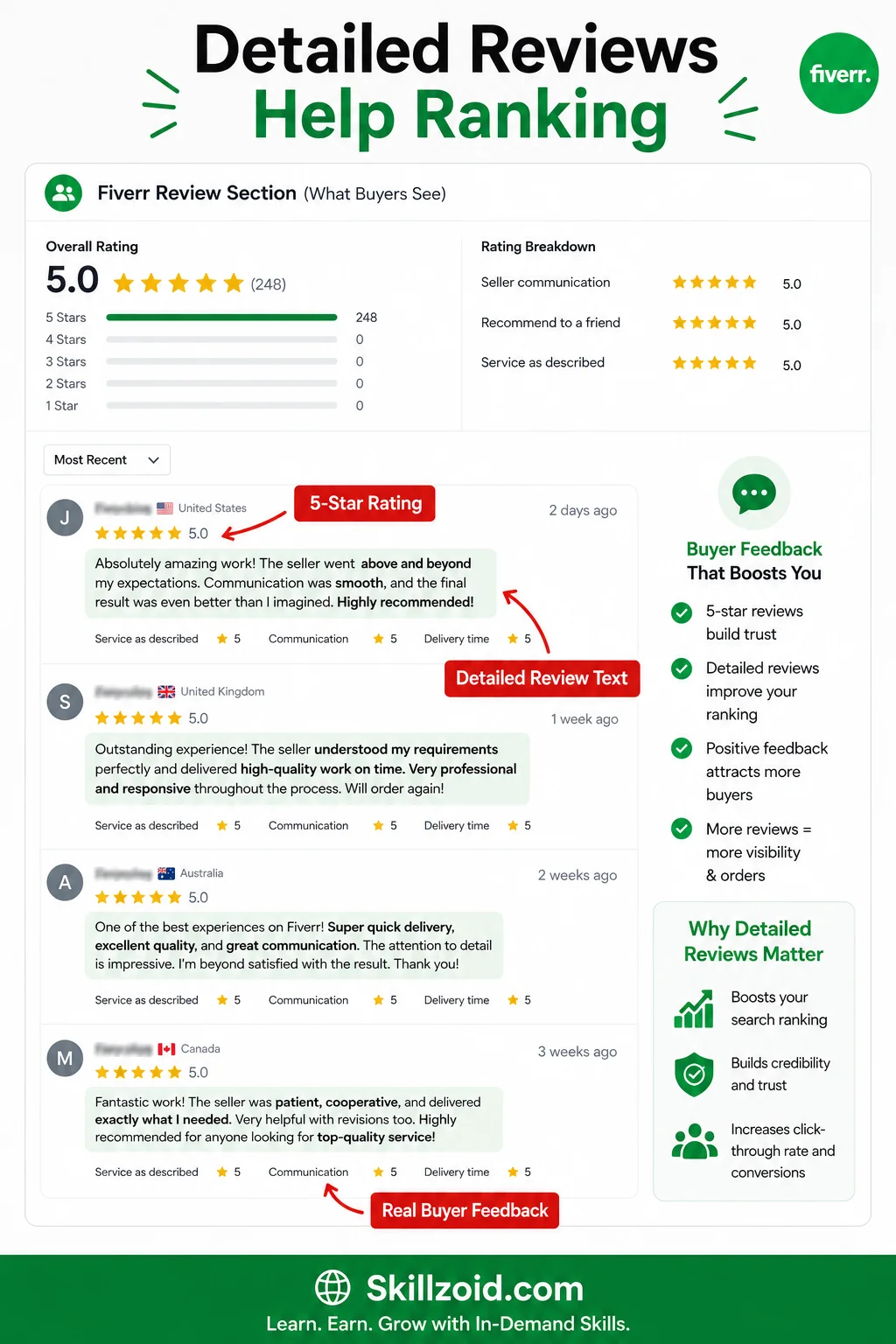
Five-star reviews with detailed text (“he delivered exactly what I asked for and even added an extra variation without being asked”) are worth more to your ranking than a simple five-star click with no comment. The text gives Fiverr’s algorithm more signals about what your gig delivers and who it serves.
What I got wrong for the first three months
I changed my gig too often. Every week, I’d tweak the title, rewrite the description, and change the thumbnail. This constant churn actually hurt my ranking because Fiverr’s algorithm needs time to index and evaluate a gig. Every major edit essentially resets that evaluation period. Make informed changes, then leave the gig alone for at least two to three weeks to see results.
I ignored Fiverr’s buyer requests section. In the early days before I had traction from search, Fiverr’s Buyer Requests (now replaced by Fiverr’s Briefs feature) was a direct line to buyers who were actively looking for services. I barely used it. Sellers who actively send relevant, tailored offers through this feature get orders without needing to rank at all, which also helps their eventual ranking because completed orders matter.
I optimized for keywords instead of buyers. My early descriptions read like keyword lists dressed up as sentences. Buyers don’t respond to that; they respond to descriptions that speak to their specific situation. The gigs that rank and convert are the ones that feel like they were written specifically for the buyer reading them.
The honest timeline for ranking on page one
For a genuinely well-optimized gig in a moderately competitive category, here’s a realistic picture:
Days 1 to 14: Very limited visibility. The algorithm is gathering initial data. Focus entirely on perfecting your gig elements and being ready to respond instantly to any inquiries.
Weeks 3 to 6: If you’ve gotten your first two or three orders and reviews, you’ll start to see improved placement. Not page one yet for most categories, but movement.
Months 2 to 4: With consistent deliveries, strong reviews, and maintained response time, page one becomes realistic for specific search terms, especially longer-tail, less competitive searches.
The sellers who rank fastest are the ones who understand that ranking and delivering are inseparable. Every completed order with a good review is a ranking signal. There’s no shortcut around that, but there’s also no mystery to it once you understand the system.
One thing worth remembering
Fiverr’s page one is not a destination you reach and stay at permanently. It’s something you maintain through continued performance. Sellers who stop caring about quality after they rank eventually get displaced by hungrier sellers who are putting in the work they used to.
The good news is that maintaining a ranking is easier than achieving it in the first place. Keep your response time up, keep delivering quality, keep your cancellation rate low, and Fiverr keeps rewarding you. The algorithm isn’t mysterious; it just wants evidence that you’re a reliable seller that buyers can trust.
Give it that evidence, consistently, and the first page follows.
Taha Sohail is a blogger and cyber engineer who writes about freelancing, online earning, and digital skills at Skillzoid.com.
Related reading: How to Build a Full-Time Income on Fiverr in 2026 | Best Fiverr Services to Sell and Make Money in 2026




3 Comments on “How to rank a gig on the first page on Fiverr in 2026”